Connect AI
Plug Claude, ChatGPT, Hermes, or Grok into your coaching roster.
Copy one address. Follow three steps in the app you already use. The AI can read your clients and prepare drafts. You still approve every plan change in TrainedBy.
TrainedBy address
https://mcp.trainedby.fit/mcp
Custom connectors need a paid Claude plan (Pro, Max, Team, or Enterprise).
Step 1
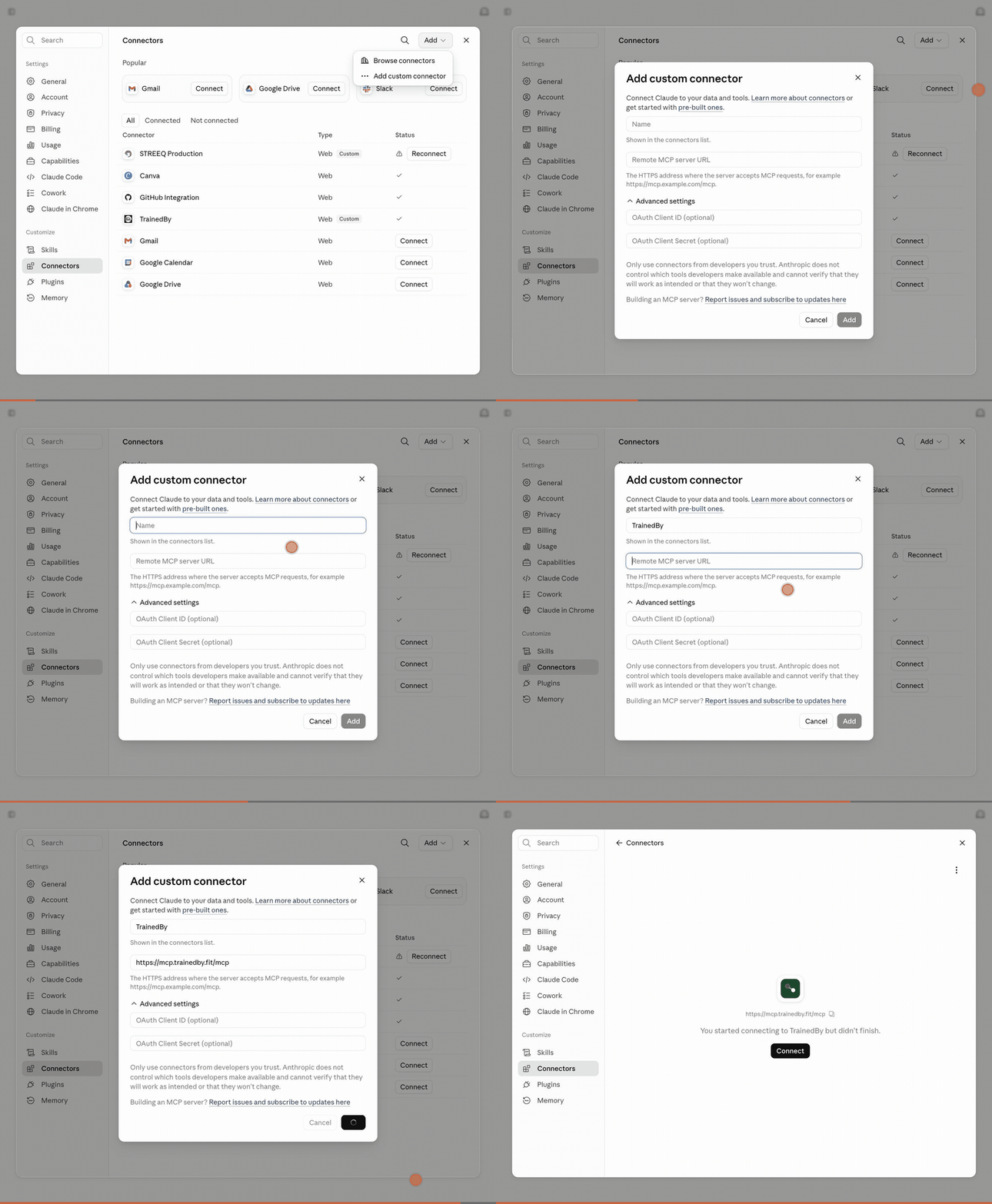
Open Claude. Go to Settings, then Connectors.
Step 2
Choose Add custom connector. Paste the TrainedBy address and add it.
Step 3
Sign in to TrainedBy when the window opens. Start a new chat and turn TrainedBy on.
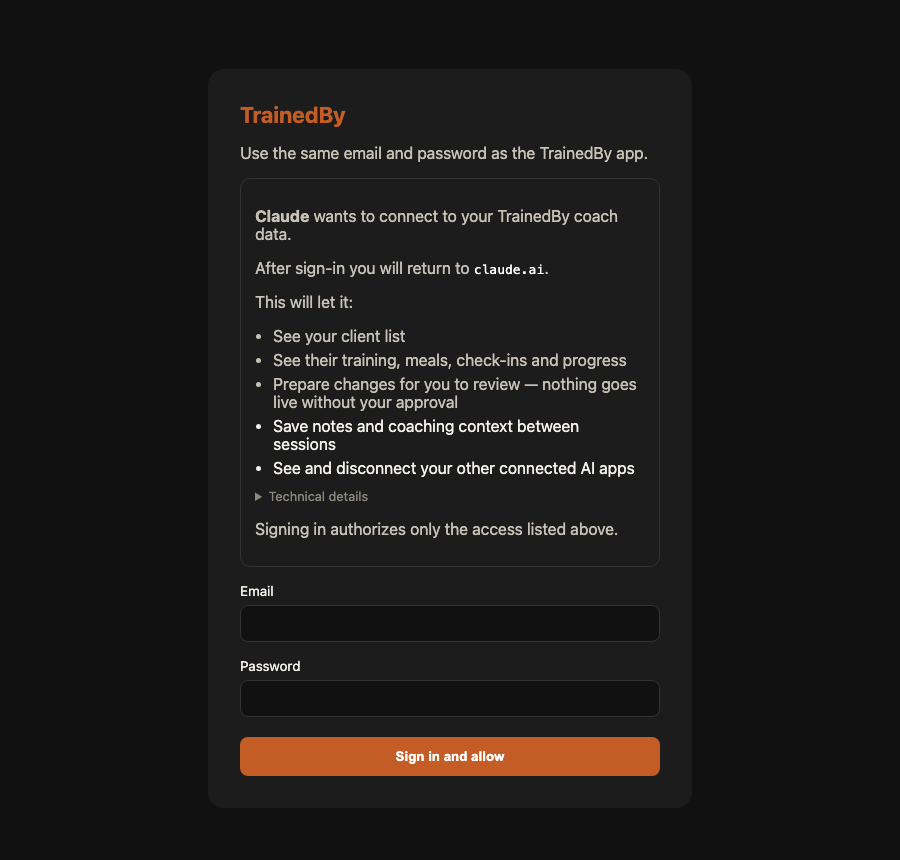
Then you sign in
Same email and password as the TrainedBy app. The screen tells you exactly what that AI can read or change. If an AI later requests a new write permission, TrainedBy asks you to reconnect and approve it first.
- ✓Sign in inside the AI's connect window the same way you sign in to TrainedBy. You don't need a link code.
- ✓New to TrainedBy? Create your coach account in that same window, then pick the free trial or a plan.
- ✓If the window asks for a link code, make one in Settings, under Connected AI clients, and paste it into the AI.
- ✓Connect as many AI tools as you like. Claude, ChatGPT and Hermes can all be on at once.
- ✓Changed your mind? In Settings you can disconnect one AI, or use the confirmed control that disconnects every connected AI from your TrainedBy account.
- ✓The sign-in screen lists exactly what that AI can read or change before you approve it. New write permissions need fresh approval. Existing access never gains them silently.
What it can do
- ✓See the clients on your own TrainedBy roster
- ✓Read workouts, meals, check-ins, and progress
- ✓Draft workout or nutrition changes for you to review
- ✓Suggest one-set, one-exercise, or one-meal edits
- ✓Use only the actions you separately approve during connection
Try asking
- “List my active clients and show who needs attention this week.”
- “Show the recent workouts, meals, and check-ins for a client on my roster.”
- “Prepare a draft that changes only set 3 of an exercise by one rep.”
If something looks wrong
The connection does not appear
Remove it, paste the address again, finish sign-in, then start a new chat.
A client is missing
The AI only sees clients on the signed-in coach roster. Check the same account in TrainedBy.
A change is not live
Plan changes stay as drafts until you approve them inside TrainedBy. A reviewed draft is still not sent or applied unless TrainedBy shows the action receipt.
You stay in charge
Sign-in binds the connection to your coach account. Public directory listings for Claude and ChatGPT will open after provider review.